
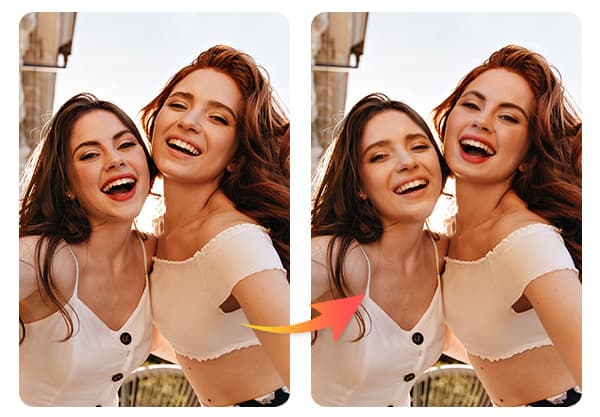
Want quick ways to make your social posts fun and shareable? Try face swaps that put you into memes, movie posters, famous paintings, or even your pet’s body to spark laughs and likes.
Use face swaps to create playful, on-theme content that fits your style and gets people talking.
You’ll find simple ideas for themed swaps, silly challenges to try with friends, and safe sharing tips that keep your posts fun without crossing lines. Start with a few easy swaps, tweak them to match your voice, and watch engagement grow.
Key Takeaways
- Pick playful face swap ideas that match your social tone.
- Try themed swaps and simple challenges to boost engagement.
- Share thoughtfully and protect privacy when posting.
Creative Face Swap Ideas for Social Media
Try swaps that match the mood you want: funny, impressive, or sweet. Pick good photos, use clear faces, and keep the swaps light and respectful.
Swap Faces with Friends and Family
Swap faces with a friend to make a quick, shareable laugh. Use photos where both faces look toward the camera and have similar lighting. That makes the swap look cleaner and more believable.
Try these quick ideas:
- Swap faces during a party or holiday photo to show what you’d look like as each other.
- Do a before-and-after reel: original photo, swap, and reaction clip.
- Make a poll asking followers which swapped look fits each person best.
Always ask permission before posting someone else’s face. Tag the people involved and add a funny caption to boost engagement.
Celebrity Face Swaps
Swap your face with a celebrity for buzz and wide reach. Pick a celebrity photo with a clear, straight-on face so the swap lines up correctly.
Ideas that work well:
- Movie-poster recreation with your face on the lead actor.
- Red-carpet comparison showing “you vs. the star.”
- Trend mashup: place your face on different celebrity expressions and stitch them into a short video.
Avoid implying endorsements. Use public images or licensed photos to stay respectful of rights. Add a playful caption and a hashtag to draw viewers.
Pet and Animal Face Swaps
Put your face on your pet for goofy, heartwarming posts. Choose a pet photo with a simple background and a direct look for better blending.
Fun approaches:
- Swap faces with a close-up dog or cat photo for a cute reaction video.
- Make a “who wore it better” post comparing family members’ faces on the pet.
- Create a short story reel where your swapped face “talks” using captions or voiceover.
Keep your pet’s well-being first: don’t stress them for a photo shoot. Share the swap in stories or reels to maximize shares and comments.
Historical Figure Face Swaps
Place your face on a historical painting or photo to teach or entertain. Use high-resolution images of portraits or statues for clearer results.
Use these formats:
- Educational posts comparing your modern look to a historical figure’s attire.
- Humorous “If I lived then” series showing your face in different eras.
- Side-by-side carousel: original portrait, swapped image, and a short fact about the figure.
Be careful with sensitive figures or topics. Focus on visuals and facts, and avoid mocking cultures or traumatic histories.
Trending Themed Face Swaps
Try swaps that match a clear idea: pick a recognizable character, a cartoon look, or a holiday vibe. Each choice changes how people react and how easy the swap will be.
Movie Character Face Swaps
Pick famous faces that match your expressions and angles. Choose characters with clear makeup or masks — like a superhero, a horror villain, or a rom-com lead — so the swap reads instantly on small phone screens. Match lighting and angle: a straight-on shot works best for cinematic close-ups.
Use props and costume hints to sell the swap. A wig, a hat, or a signature prop (glasses, a wand) helps viewers instantly link your face to the character. For videos, sync a short line or a clip of the character’s music for stronger impact.
Watch copyright and likeness rules. Avoid uploading swapped clips of movie scenes that platforms might flag. Keep swaps for personal posts, memes, or short reels under platform limits to reduce takedown risk.
Cartoon and Anime Face Swaps
Pick shows with bold features: big eyes, strong outlines, or distinct color palettes. Those features translate better when you swap faces into cell-shaded art or GIFs. Choose an image of the cartoon with a simple background to keep attention on the face.
Adjust expression and scale to match the cartoon style. Enlarge eyes slightly and keep skin tone flat when swapping into anime to keep the look believable. Use GIF face swaps for looping reactions like laughing, surprised, or dramatic crying — they perform well on TikTok and Twitter.
Try group swaps that place multiple real faces into one cartoon scene. That trend increases shareability because people tag the friends in the image. Keep file sizes small so uploads stay smooth across socials.
Seasonal and Holiday-Themed Swaps
Match the season for timely engagement: pumpkin-headed swaps in October, snowy scenes with rosy cheeks in December, or sun-kissed beach faces for summer. Seasonal props like scarves, masks, or holiday lights make the swap feel festive and shareable.
Plan captions and hashtags around events. Use holiday tags and short captions like “Who wore it better: me or the elf?” for higher reach. For safety, avoid swapping faces onto real people in sensitive contexts, like tragic news photos or religious ceremonies.
Create themed templates to reuse every year. That saves time and builds a recognizable holiday series your followers expect.
Fun and Unusual Face Swap Challenges
Try swaps that surprise viewers and spark quick laughs. Use bold contrasts, clear lighting, and short clips to make each idea pop on feeds.
Swapping Faces with Inanimate Objects
Pick objects with simple, clear shapes like pumpkins, emojis, or action figures. Place the object at eye level and use a plain background. This helps the face-swap tool match features and keep expressions readable.
For photos, crop tightly so the object fills most of the frame. For video, hold the object steady or use a tripod. Small movements make the swap look more natural.
Use playful captions and sound effects. Try a series — coffee mug faces in the morning, fruit faces at snack time — to make a themed post that followers expect and share.
Generational Face Swaps
Swap faces between grandparents, parents, and kids to highlight family resemblance or create humor. Choose photos with similar angles and lighting to avoid odd results.
Use old photos next to recent ones for a before-and-after vibe. Match expressions if you want realistic blends, or mix emotions (serious grandparent, goofy kid) for comedy.
Respect privacy: ask permission before posting someone else’s face. Tag family members and add a short story to boost engagement and context.
Fantasy and Cosplay Swaps
Place your face onto famous fantasy characters, superheroes, or historical figures to create fan edits. Use high-resolution character images and face shots with clear angles.
Blend skin tones and adjust lighting in the app when possible. Add simple props or filters—glowing eyes, armor textures—to sell the effect without heavy editing.
Share a “cosplay test” series showing the swap, the original, and a quick behind-the-scenes shot. Fans will enjoy the transformation and may recreate it themselves.
Tips for Sharing Face Swap Content
Pick photos with clear lighting and forward-facing faces. Use simple edits to make swaps look natural. Think about platform norms and privacy before posting.
Choosing the Best Photos for Swapping
Choose images with even lighting and faces that look straight at the camera. Side profiles and heavy shadows make swaps glitchy. Match skin tones and head angles between source and target to avoid odd edges.
Use high-resolution photos when possible. Low-res images cause blur and blocky artifacts after swapping. If you must use phone photos, pick ones taken in similar light and distance.
Avoid images with big occlusions like hands or hair covering the face. Closed eyes and extreme expressions reduce swap quality. For group swaps, keep all faces at similar sizes and distances from the lens.
Editing and Enhancing Face Swaps
After you swap, crop and align the result so the face centers correctly. Small misalignments ruin realism. Use feathering or soft-edge tools to blend hairlines and jawlines smoothly.
Adjust color balance and contrast to match the swapped face with the new body. Tweak skin tone, brightness, and shadows in small steps. If available, use a subtle sharpening filter to restore detail without creating noise.
Remove distracting background artifacts with a clone or heal tool. For videos, check a few frames to ensure the face tracks naturally. Export at the highest reasonable quality for the platform you’ll post on.
Caption and Hashtag Suggestions
Write captions that set context and invite engagement. Use short prompts like “Which swap looks funnier?” or “Tag a friend to try this.” Mention any people shown and get permission when needed.
Choose hashtags that match the platform and niche. Use 3–5 targeted tags such as #FaceSwap, #FunnyVideo, and #TikTokTrend for wider reach. Add one or two niche tags like #CookingMeme or #DadJokes if the content fits.
Include a brief note about consent when sharing other people’s faces. If you used a celebrity or public figure, avoid implying endorsement. This keeps your posts respectful and reduces complaints.
Face Swap Safety and Privacy Considerations
Think about consent, where your images go, and how others might react before you post. Protect people’s privacy and avoid content that could harm reputations or break rules.
Respecting Others in Your Face Swaps
Always ask permission from anyone whose face you use. If you want to swap a friend’s face into a joke video, get their clear OK in writing or a direct message. For public figures, check platform rules—some sites restrict deepfakes of politicians or minors.
Keep original files private. Use apps that let you delete uploads and read their privacy policy to see if they store or share images. If someone asks you to remove a face-swap post, comply quickly and explain you removed it.
Label altered media when it could be mistaken for real footage. Add captions like “face swap” or use platform tags so people know it’s edited. This reduces confusion and helps protect other people’s reputations.
Avoiding Sensitive and Offensive Content
Do not create swaps that target protected groups, sexualize minors, or mock traumatic events. These uses can cause real harm and often break platform rules and laws. If a swap could embarrass, defame, or endanger someone, don’t make it.
Avoid political manipulation and private content. Don’t swap faces into videos of public events, hate speech, or private messages. That can mislead viewers and lead to legal trouble.
Use common-sense filters before posting. Ask: “Could this hurt someone’s job, relationships, or safety?” If the answer is yes or you’re unsure, skip it or get explicit consent and legal advice.