
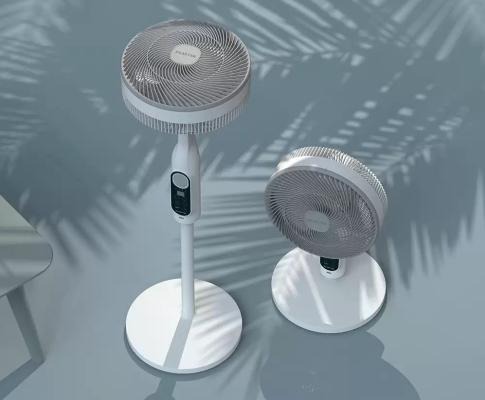
Solar fans are designed to harness solar energy and convert it into clean, sustainable airflow. When functioning correctly, solar fans operate efficiently in sunlight, lowering indoor temperatures, enhancing ventilation, and reducing electricity consumption. However, it can be frustrating and confusing if your solar fan suddenly stops working in strong sunlight. This guide will walk you step-by-step through troubleshooting why your solar fan isn’t working in sunlight.
How Solar Fan Work in Sunlight
Understanding how solar fans work is crucial before attempting to troubleshoot. A typical solar fan relies on photovoltaic (PV) panels to convert sunlight into electricity. This electricity drives a DC motor, which in turn powers the fan blades, generating airflow without the need for conventional electricity.
Ideally, a solar fan should automatically start when sunlight hits the solar panel. However, its proper functioning depends on several interconnected components. These include the solar panel efficiency, which determines how much electricity is generated in sunlight; the wiring and connectors that deliver power from the panel to the fan motor; and the motor performance, which converts electrical energy into mechanical motion. If the fan doesn’t work in sunlight, there’s likely a problem with one or more of these components. Understanding this energy flow helps pinpoint the starting point for troubleshooting.
Check Solar Panel Performance and Sunlight Conditions
Solar panels are the core component of any solar fan system. If the fan won’t operate in bright sunlight, the first step is to check the solar panels. Many solar fans, especially rooftop or attic models, require direct sunlight to perform optimally. Even a small obstruction can cause the entire system to malfunction.
Step 1: Check for dust, debris, or shadows. If you find dirt or leaves on the surface, clean it with a soft cloth and mild soap. Ensure there are no trees, buildings, or nearby objects casting shadows at midday.
Step 2: Check the orientation and angle. For optimal performance, tilt the panel towards the path of the sun. Ideally, the tilt angle should be close to your latitude. South-facing (Northern Hemisphere) solar panels receive the most consistent sunlight.
Step 3: Measure the output voltage. Under direct sunlight, use a multimeter to test the voltage at the solar panel terminals. If the reading is significantly lower than the rated voltage (e.g., a 12V output only shows 6-7V), the panel may be damaged or its performance may be degraded.
One of the most common reasons a solar fan stops working is a faulty or degraded solar panel. If the output power is low, consider cleaning, repositioning, or replacing the solar panel.
Check Wiring, Connectors, and Electrical Paths
After confirming the solar panel is generating enough power, the next step is to check the electrical connections between the panel and the fan motor. Even the smallest looseness can prevent current from flowing properly.
First, check for corrosion or damage. Outdoor solar fans are often exposed to humid, dusty, and temperature-fluctuating environments. Over time, corrosion or oxidation on connectors can cause circuit failure. Check all connection points for discoloration, rust, or broken wires. Second, ensure secure connections. Firmly plug all connectors together and check for worn or crushed wires. Use waterproof connectors whenever possible to prevent future problems.
Third, test continuity. Use a multimeter in continuity test mode to test if current flows through the wires from the solar panel to the fan motor. If the circuit is not continuous, replace the cables or connectors to ensure continuity. Sometimes, even a small voltage drop caused by cable damage or oxidation can cause a solar fan to stop working, especially in moderate sunlight. Replacing old or worn wiring can restore a solar fan to regular operation.
Testing the Solar Fan Motor and Internal Components
If the solar panel and wiring are working correctly, the problem is likely with the solar fan motor or its internal circuitry. A DC motor converts solar energy into mechanical energy, driving the fan blades to rotate. Over time, dust, mechanical friction, or worn bearings can affect this process.
Step 1: Rotate the fan blades manually. Gently turn the blades by hand. If they feel stuck or don’t rotate smoothly, the motor bearings may need cleaning or lubrication. Step 2: Directly power the fan motor. Connect the motor directly to a known working DC power source (e.g., a 12V battery). If it runs smoothly, the motor is fine; the problem lies elsewhere. If it doesn’t run smoothly, the motor may need repair or replacement.
Step 3: Check for burn marks or unusual smells. A burnt smell or visible black marks indicate that the motor has burned out due to overheating or overload. Replacing the motor is usually the most practical solution. A final step is to check the control circuitry (if equipped), as some solar fans have a built-in control board or speed controller. Please use a voltage tester to ensure these circuits are powered. All motor and circuit components of PowerDream solar fans are designed for long-term durability and efficient energy conversion, but regular checks are still recommended to ensure reliable performance.
Evaluating the Battery and Charge Controller
Not all solar fans use batteries, but those with energy storage rely on batteries and a charge controller to manage power distribution. If your model includes these components, a failure in any of these components may prevent the fan from starting, even in sunlight. Step 1: Check the battery for swelling, leakage, or discoloration. These are signs of battery failure. Use a multimeter to test the voltage; if the reading is significantly lower than the rated value (e.g., 8V for a 12V battery), the battery may be damaged.
Step 2: Verify the charge controller is working properly. The charge controller regulates the voltage from the solar panel to the battery and the fan. A faulty controller will either prevent power from reaching the fan or fail to distribute power correctly. Step 3: Bypass the battery and temporarily connect the solar panel directly to the fan motor, bypassing the battery and controller. If the fan works in this configuration, the problem is likely with the battery or controller. PowerDream solar fans use intelligent charge controllers to manage energy flow, ensuring optimal performance and safety. However, over time, the controller’s performance can degrade due to moisture or heat. Regular testing and timely replacement ensure consistently efficient airflow.
Preventative Maintenance Tips for Efficient Operation
Troubleshooting a solar fan that won’t operate in sunlight requires a systematic approach, involving the inspection of solar panels, wiring, motor, and other critical components. With regular maintenance and proper installation, PowerDream’s high-quality solar fans will provide reliable, environmentally friendly ventilation for years to come.